
Key Takeaways
A thoughtful listing photo guide starts well before you pick up the camera. A little preparation helps you make clear, welcoming images that give viewers a useful sense of the home.
- Choose a time when natural light is soft and even.
- Tidy, clean and arrange each room before the shoot.
- Photograph from a natural height and keep lines straight.
- Include the rooms, outdoor areas and features that help explain the property.
- Edit for clarity, then arrange the images in a logical order.
Plan your listing photo shoot
A calm, considered shoot begins with a plan, not with a camera pointed at the first room you enter. Think about the home’s strongest features, the light at different times of day and how you want viewers to move through the images. A simple shot list can keep you focused while leaving room to notice a good detail along the way.
Choose the best time of day for natural light
Walk through the home at a few different times and notice where the light falls. A bright room can photograph beautifully in the morning, while another may feel more welcoming later in the day. Try to schedule the shoot when the rooms you most want to feature receive the most useful natural light.
The right time depends on the orientation, windows and surrounding shade, so there is no single hour that suits every home. Use this quick guide as a starting point, then check the rooms in person before settling on a time.
| Time to consider | What to look for | Possible advantage |
|---|---|---|
| Morning | Light reaching east-facing rooms | A bright, fresh feel in those spaces |
| Midday | Strong light and defined shadows | Clear views in rooms with limited shade |
| Late afternoon | Warmer light on sun-facing areas | A softer atmosphere in some rooms |
Return to the rooms you plan to photograph and compare how the light changes. If direct sun creates sharp patches or glare, shift the timing or use window coverings to soften it.
Check the weather and look for soft, even light
Weather can change the feel of a room as much as the time of day. Overcast conditions often soften harsh sun, while a clear day may bring strong contrast through large windows. Take a quick look outside and inside before you begin, and be ready to adjust your plan if the light is uneven.
If a window is much brighter than the room, consider framing the image to balance the view rather than forcing every detail into one shot. A steady, natural-looking exposure helps viewers understand the space without making it feel artificially bright.
Make a shot list based on the home’s standout features
Before the shoot, note the details that make the home distinctive: perhaps a generous kitchen island, a sunny reading nook, a leafy courtyard or a practical storage area. Then list the essential rooms and any angles that explain their layout. This keeps the set purposeful instead of producing several near-identical photos of the same space.
Treat the list as a guide, not a rigid script. As you move through the property, add a useful detail if you spot one, but ask whether each frame tells viewers something new.
Decide whether to use a phone or hire a professional
A recent phone can be enough for a straightforward set of images if you can keep the camera steady, frame carefully and work with the available light. If the home has challenging lighting, unusual architecture or features that are difficult to capture, a professional photographer may be worth considering. Either way, good preparation and clear images matter more than elaborate equipment.
Choose the approach that fits the home and the amount of time you can give the shoot. If you use a phone, clean the lens first and take a few test frames so you can check focus, exposure and composition before photographing every room.
Prepare the home before taking photos
A tidy, cared-for space is easier to photograph and easier to understand at a glance. Before the camera comes out, move through the home as if you were seeing it for the first time and notice what draws your eye. The aim is not to make every room feel bare; it is to let its purpose and useful details come through.
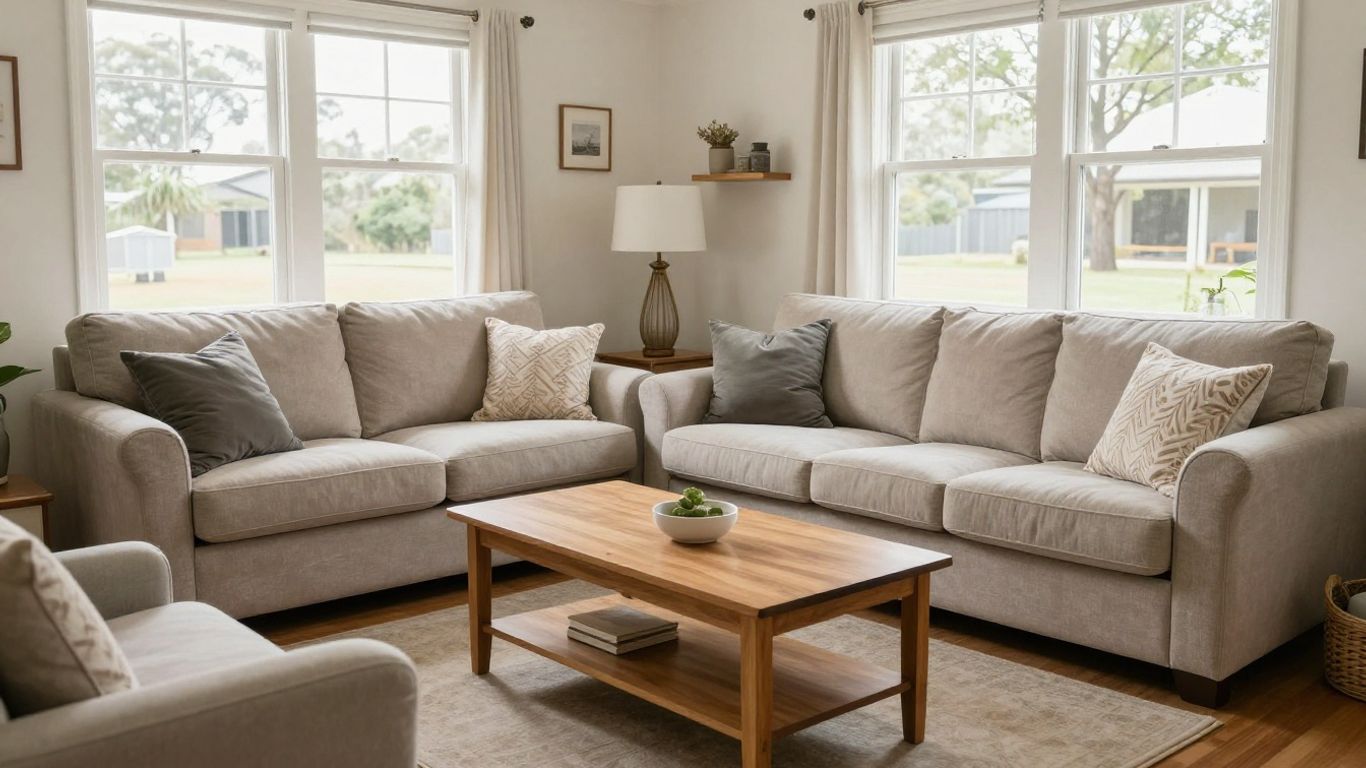
Declutter surfaces and put away personal items
Clear the items that pull attention away from the room: everyday mail, chargers, toiletries and loose belongings. A few considered details can make a space feel lived in, but crowded benches and shelves can obscure how much usable surface or storage there is. Keep what helps the room feel welcoming and put away what distracts.
A short pass through the home can make the task manageable. These small actions often have an outsized effect in a photograph, where even a handful of objects can make a surface appear busy.
- Clear kitchen benches, dining tables and bedside surfaces.
- Put away toiletries, cleaning products and loose cords.
- Remove personal paperwork and items you would rather not show.
- Straighten shelves, leaving some open space between objects.
Once the main surfaces are clear, check the edges of the frame too. A bin, laundry basket or stray cable can catch the eye even when the rest of the room is ready.
Make beds and arrange furniture to open up the space
Smooth bed linen and arrange cushions simply so the bedroom feels restful rather than overly styled. In living areas, move small pieces of furniture if they block a natural route through the room or hide a useful feature. The arrangement should still feel like a real home, with enough open floor to show how people might use it.
Take a test photo before making more changes. The camera may reveal that a chair is crowding the view even if it seemed fine in person, or that a small adjustment opens up the room.
Clean windows, mirrors, and reflective surfaces
Windows and mirrors can show fingerprints, streaks and dust that are easy to miss while moving through the room. Clean them before the shoot, then check the reflection from the angle where you plan to photograph. Reflective surfaces may also reveal the camera or items just outside the frame, so take a moment to inspect what they pick up.
A quick final check in the image preview can catch marks that were hard to see in person. It is easier to wipe a smudge now than to discover it across a set of finished photos.
Turn on lights and replace any mismatched bulbs
Switch on the lights you intend to use and check that they work. A burnt-out bulb or a noticeably different colour can make a room feel uneven from one corner to the next. Where possible, use matching bulbs in fixtures photographed together and avoid mixing strongly warm and cool light sources.
Natural light and artificial light do not always blend smoothly, so check the result on your screen. If turning on every lamp gives the room an unnatural colour cast, try a frame with fewer lights and compare the two.
Set up strong, inviting compositions
Composition shapes how a viewer reads a room. A carefully framed photograph can make the layout easier to follow without suggesting that a space is larger or different from what it is. Take a moment to choose a position that shows the room’s purpose, useful features and connection to nearby spaces.
Shoot from a natural eye-level perspective
Hold the camera around a comfortable standing height so the image feels familiar to someone entering the room. Shooting too low can give furniture too much prominence, while an unusually high angle may make the room feel less natural. A steady, consistent viewpoint also makes a set of room photos feel more cohesive.
Try a couple of positions and compare what each one reveals. Choose the frame that gives a clear sense of the room without letting one feature dominate simply because it is closest to the lens.
Keep vertical lines straight
Walls, door frames and window edges help people judge the shape of a room, so keep them as upright as you can. Tilting the camera up or down can make these lines lean and create a distorted impression. Hold the phone or camera level, and check the edges of the frame before taking the shot.
Some devices offer a grid or level guide that can help you align the frame. Use it as a practical aid, then review the image to make sure the room still feels balanced and natural.
Use doorways to add depth without crowding the frame
A doorway can create a useful frame within the image and hint at how one space leads to another. Position yourself far enough back to show the room clearly, but avoid letting the door frame take over a large part of the photo. A small shift to one side can reveal more of the room while retaining that sense of depth.
Look out for distracting edges, including a partly opened door or an object cut off in the foreground. The doorway should help orient the viewer, not make the composition feel cramped.
Show how rooms connect while keeping each space clear
Where the layout matters, choose an angle that gives a glimpse of the connection between rooms. Keep the primary room easy to read, with the adjoining area as context rather than the main subject. This can help someone understand the flow without relying on a wide, confusing view.
Before you take the photo, identify what the frame is meant to explain. If the kitchen is the focus, for example, let the kitchen lead and show only enough of the adjacent dining area to convey how the spaces relate.
Photograph the rooms and features buyers care about
Give each room a photo that answers a practical question: what is the layout, how does the space feel, and what features are included? You do not need to photograph every corner. A small, purposeful selection can make a property easier to picture than a long sequence of repetitive angles.
Capture the kitchen from angles that show its layout
Choose an angle that reveals the main work areas and how they relate to one another. If an island, breakfast bar or pantry is a notable feature, include it without letting it hide the rest of the room. Clear benches and an unobstructed sink help the kitchen feel usable in the image.
Take a second frame only if it adds a different view, such as showing the connection to a dining area or a useful storage feature. The result should explain the kitchen rather than simply fill the gallery with similar photographs.
Show bedrooms with enough context to understand their size
Include the bed and enough surrounding space to show how the room is arranged. A frame that is too tight can leave viewers guessing about the layout, while one taken from an extreme corner may distort proportions. Keep the bedding neat and make sure furniture does not block the path through the room.
If there is a useful feature such as a built-in wardrobe or a window with a pleasant outlook, consider a separate image for it. That way, the main bedroom photograph stays clear and the additional detail has room to register.
Photograph bathrooms with mirrors and counters looking clean
Bathrooms can look crowded in photographs, so remove everyday products from the counter and check the mirror for reflections. Frame the image to show the main fittings and enough floor or wall to explain the layout. Close the toilet lid and make sure towels are tidy and simple.
A bathroom photo should feel clean without concealing its actual size or fixtures. If the room is compact, a clear view from the doorway may be more informative than trying to fit every detail into one distorted frame.
Include outdoor spaces, storage, and notable upgrades
Outdoor areas, storage and improvements can help complete the picture of how a home is used. Photograph a courtyard or balcony in a way that shows its shape and access, rather than only a close-up of plants or furniture. For a garage, cupboard or laundry, clear enough space to make its practical use visible.
Be selective with feature photos. A frame of a recent upgrade or useful storage area belongs in the gallery when it adds information a viewer would not get from the main room images.
Edit photos while keeping them accurate
Editing is most useful when it makes a photograph clearer without changing what the home looks like. Small adjustments can help compensate for dim light or a slightly tilted frame, but heavy processing may make colours and proportions feel unfamiliar. Keep a version of the original image so you can compare as you work.
Correct brightness, color, and perspective
Make modest adjustments to brightness and colour, then straighten the frame if its lines are leaning. If a room still looks murky after a gentle correction, consider whether the original lighting or camera position needs attention instead. Avoid pushing highlights or shadows so far that important details disappear.
A natural, honest finish gives viewers a useful impression of the space. Compare the edited image with what you saw in the room and dial back any change that makes the photo feel unlike the property.
Keep walls and floors close to their true colors
Wall and floor colours can shift when different light sources mix or when an image is edited too heavily. Check the photograph against the actual room, especially if a surface has a distinct colour or finish. A neutral-looking image should still preserve the character that someone would notice during a visit.
If you are unsure, make a restrained adjustment rather than trying to create a perfectly uniform colour across every photograph. Consistency is helpful, but accuracy matters more than making rooms look identical.
Avoid filters and edits that misrepresent the home
Skip presets that add a strong tint, remove ordinary details or change the appearance of a room. Do not edit out fixed features or use an effect that makes the space seem substantially different from the original. The photograph should help people imagine the home as it is, not create a surprise when they see it in person.
Review each image alongside the original and ask whether the changes clarify the view or alter it. If the edited version gives a different impression of the room’s colour, size or condition, step back to a lighter edit.
Check image quality on both desktop and mobile
A photo can look crisp on a large screen but lose detail when viewed as a small thumbnail. Check that the main subject remains clear at both sizes, and watch for blur, awkward crops or dark corners. Reviewing the gallery on a phone also helps you see how the images work together while scrolling.
Do a final pass through the full set, not just one image at a time. This makes it easier to spot inconsistent colour or a sudden change in brightness that may distract from the property.
Organize photos for a clear listing experience
The order of the images helps create a quiet, visual walkthrough. Start with a strong sense of the home, then move through the rooms in a way that feels easy to follow. A well-organized gallery avoids making viewers jump between floors or revisit the same area without a reason.
Lead with the home’s strongest exterior or interior image
Choose a first image that is clear, inviting and representative of the property. It might be an exterior view, or it may be an interior room that captures the home’s character especially well. Prioritize a frame that gives viewers an immediate, truthful sense of the place.
Do not choose an image only because it is dramatic. The opening photo should make someone curious to see more while setting an accurate expectation for the rest of the gallery.
Arrange photos in a logical walkthrough order
Place images in roughly the order someone might encounter the spaces, grouping related areas together. You could move from the entrance to the main living areas, then bedrooms, bathrooms and outdoor spaces. The exact sequence depends on the layout, but it should not feel like a random collection of rooms.
A simple order can make the gallery easier to follow:
- Open with the exterior or a defining interior space.
- Show the main living and dining areas.
- Move through bedrooms and bathrooms.
- Finish with outdoor areas, storage and useful details.
Review the sequence from start to finish and look for jumps that may confuse someone unfamiliar with the home. Reordering a few images can make the layout feel much clearer.
Add captions that highlight useful details
Use captions to clarify details that may not be obvious from the image, such as a room’s intended use or the location of a particular feature. Keep them short and specific rather than repeating what the photograph already shows. A caption is most helpful when it adds context without making a claim the image cannot support.
Read each one beside its photo and check that the wording matches what is visible. If the image makes the point clearly on its own, a caption may not be necessary.
Check image dimensions and listing platform requirements
Before uploading, check the platform’s image size, file type and orientation requirements. Requirements can differ, so use the current guidance for the place where you are posting rather than assuming one format will work everywhere. Keep your original files in case you need to export another version.
Finally, preview the complete listing on a desktop and a phone. A last look can reveal an image that crops awkwardly, appears out of order or does not sit well beside the others.
Frequently Asked Questions
How many photos should you take for a property listing?
There is no single number that suits every home. Aim to cover the main rooms, useful features and outdoor spaces without repeating nearly identical views.
What is the best time of day to photograph a home?
It depends on the direction of the windows and how light moves through the rooms. Walk through at different times and choose the period when the key spaces have soft, even light.
Should you turn on every light before taking photos?
Not necessarily. Test the room with its lights on and off, then use the version that looks natural and avoids mismatched colour or harsh glare.
Can you take listing photos with a phone?
Yes, if the phone can capture clear, steady images and you take care with light and framing. Clean the lens, hold it level and review a few test shots before continuing.
How do you make a small room look clear in photos?
Tidy the space, keep a natural camera height and choose an angle that explains the layout. Avoid extreme perspectives that make the room look unlike what someone will see in person.
Should you edit listing photos?
Light corrections to brightness, colour and perspective can improve clarity. Keep edits restrained so the images remain a fair reflection of the home.
What should the first photo in a listing show?
Choose a strong, representative view of the exterior or an inviting interior space. It should be clear and appealing while giving viewers an honest first impression.